Digital painting restoration workflow for museum digitisation
Most restoration tools can fill missing areas, but results often look smooth and artificial. Artecho AI adds brushstroke awareness so the filled region matches the surrounding stroke rhythm and texture style.
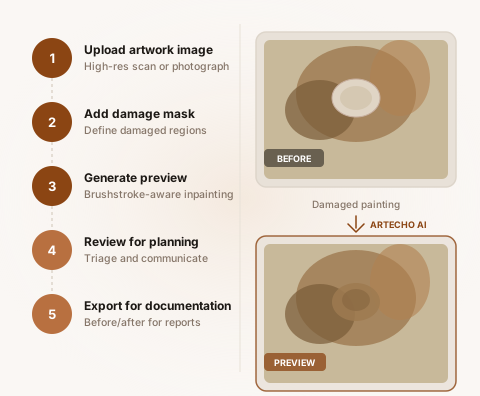
Five-step brushstroke-aware inpainting workflow
- 1
Upload artwork image
Upload a high-resolution scan or photograph of the damaged painting. Artecho AI supports standard image formats including TIFF, PNG, and JPEG.
- 2
Add damage mask
Define the damaged regions by painting a mask over the areas that need restoration. The mask tells Artecho AI exactly where to focus.
- 3
Generate restoration preview
Artecho AI analyses the surrounding brushstroke patterns and generates a restoration output that matches the flow, rhythm, and texture of the original work.
- 4
Review for triage and planning
Use the result to assess damage severity, plan conservation priorities, and communicate potential outcomes to stakeholders.
- 5
Export for documentation
Export the before/after comparisons along with metadata for conservation reports, grant proposals, and institutional archives.
What makes Artecho AI different for restoration previews and documentation
Brushstroke flow consistency
Artecho AI analyses the directional flow of brushstrokes surrounding the damaged area and ensures the filled region follows the same stroke patterns, rather than producing flat, directionless fills.
Texture realism
The restoration output preserves the textural qualities of the original paint surface — impasto, glazing, dry brush — so results look convincing under scrutiny.
Style-consistent learning
Artecho AI learns from the specific artwork being processed, adapting to the artist's unique style rather than applying a generic fill algorithm.
Try the restoration workflow with your own artworks
Join the early-access pilot to test Artecho AI with your own artwork images.
Get Early AccessSee real examples in the casebook, or learn more about Artecho AI.